Thanks to the Hiring Pipeline it is possible to manage the candidates registered for a vacancy by tracing the various stages of the selection through the Application Status associated with each Category.

To change the Application Status it is possible to click on the arrow beside the status set, passing to the next one

or by clicking on the status itself and selecting one of the items from the menu below.

To associate the candidate with one of the Application Status mapped in the Disqualified Category, click on the  icon and select the desired status from the drop-down menu.

After associating the candidate with one of the status of the Disqualified category, the icon will be coloured red, while the last Application Status assigned previously will remain visible, but "opaque".

It will always be possible to disassociate a candidate from the Disqualified category by clicking on the last assigned Application Status and choosing a new one from the list.
To indicate the candidates hired, it will be necessary to select HIRE in the list of Application Status or to advance the candidate to the last step of the selection process mapped in the Pipeline.

Search among candidates registered to the Vacancy
By clicking the "Search Candidates" button within the "Applicants" tab of a Vacancy,
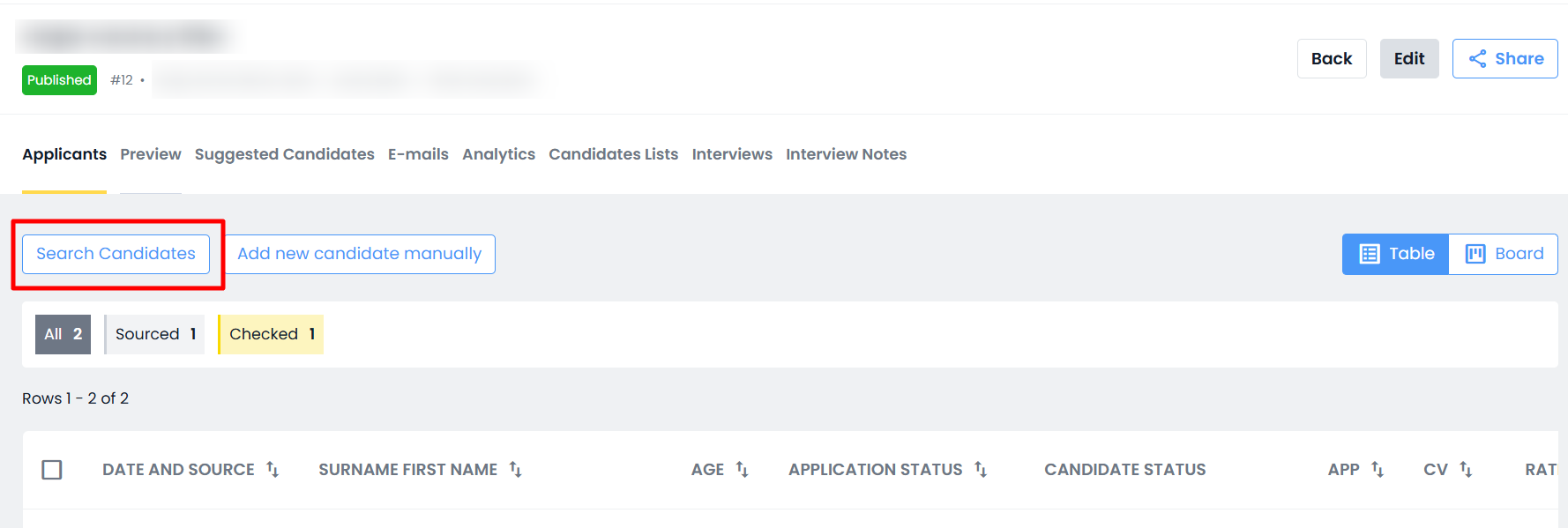
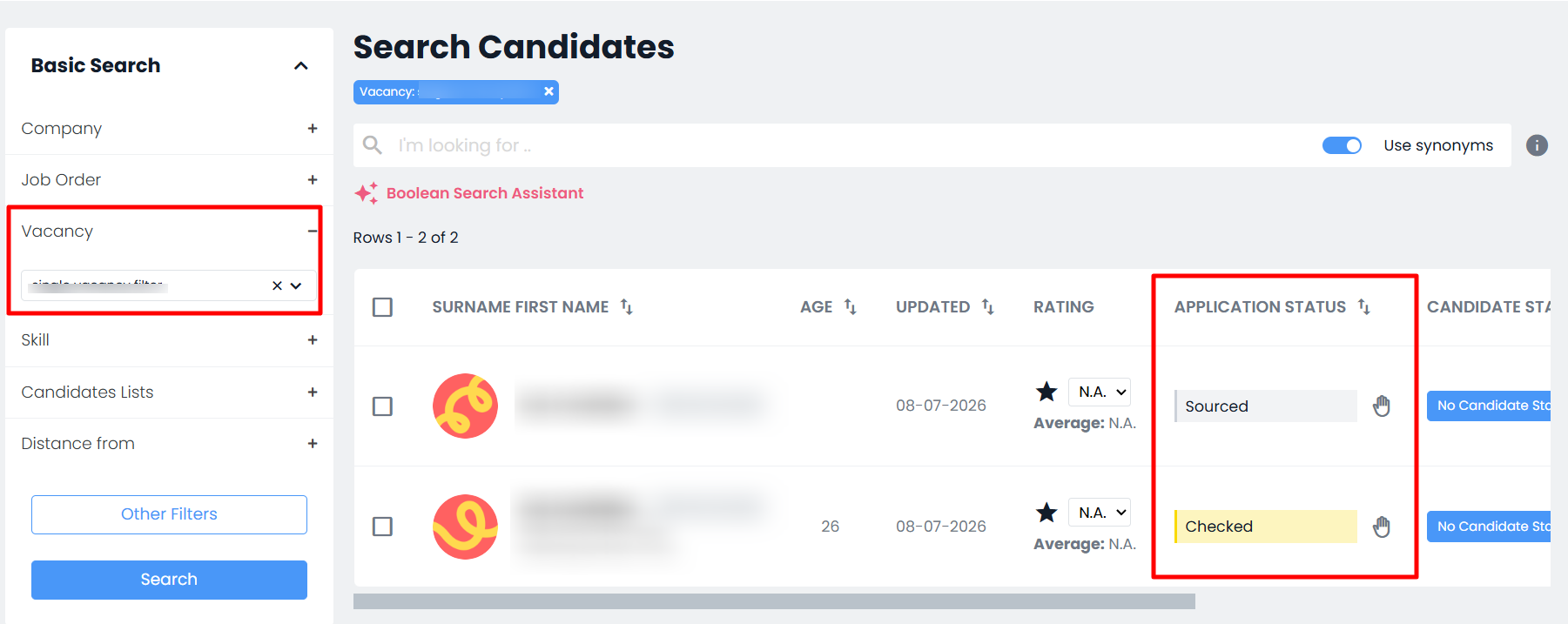
the system will redirect the user to Candidates > Search, automatically pre-filtering the "Vacancy" filter with the selected Vacancy and displaying the candidates registered for that position.
This makes it possible to apply additional candidate filters to identify the profiles of interest.
It is also possible to update the "Vacancy Status" directly from the search results list.
Was this article helpful?
That’s Great!
Thank you for your feedback
Sorry! We couldn't be helpful
Thank you for your feedback
Feedback sent
We appreciate your effort and will try to fix the article