From the WhatsApp side menu, there is the Threads section where the Company User can view a list of all company WhatsApp Senders and the conversations opened by each, in order to get an overview of the progress of WhatsApp communications in Inrecruiting.
In the list screen called Senders, there will be a list of all company WhatsApp Sender numbers (identified by their Friendly Name followed by their Display Name in parentheses).
Next to the name of each WhatsApp Sender, a counter will be visible that will indicate in real time the number of replies received from recipients and currently "open" (still without a reply from Inrecruiting).
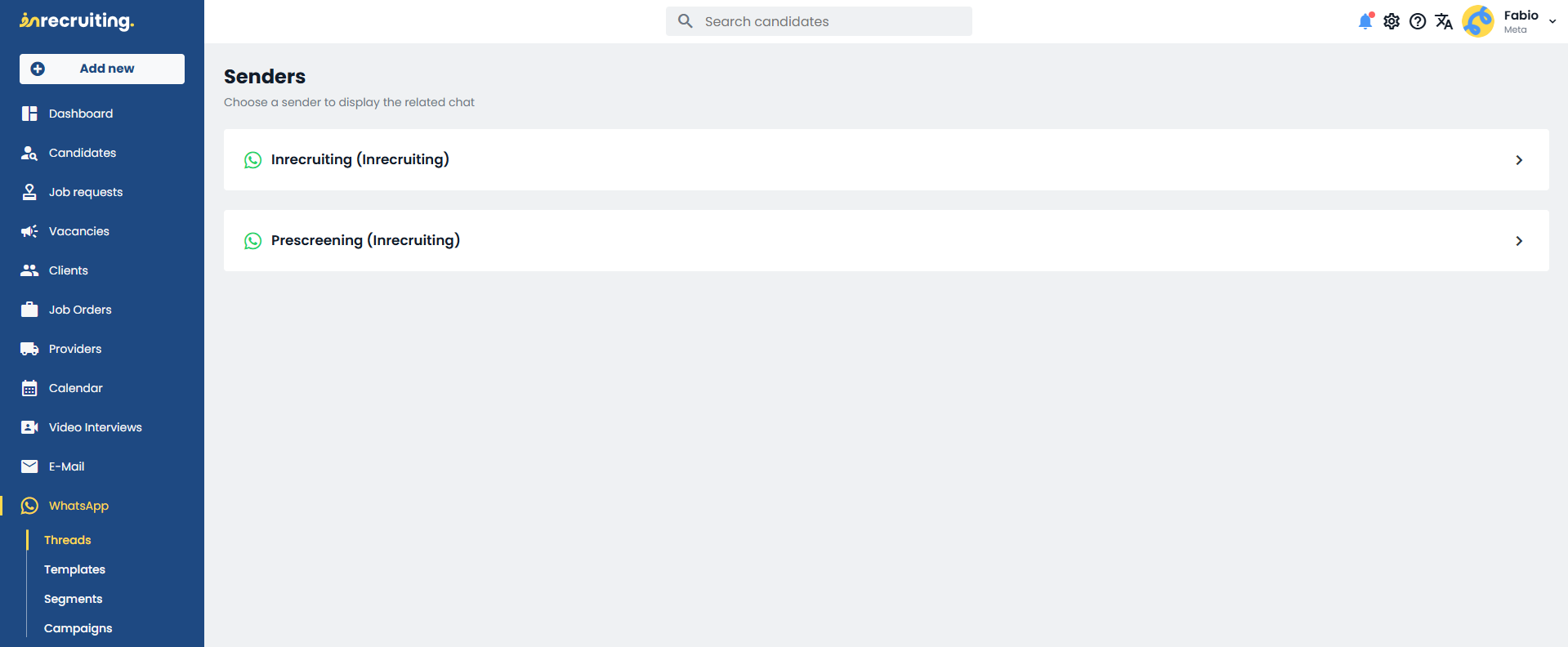
By clicking on the name of a Sender, the Company User can open the list of all WhatsApp conversations initiated by that Sender.
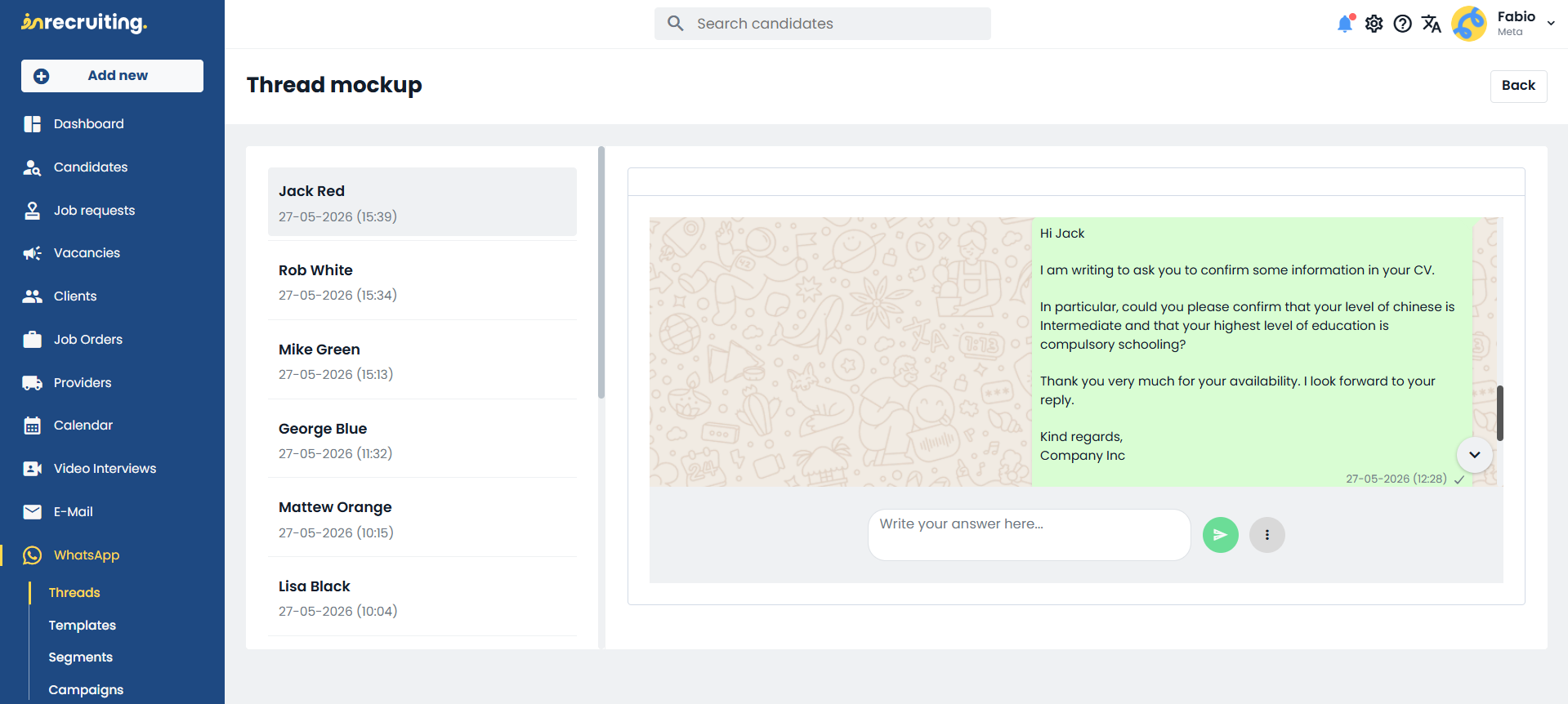
In the detail screen for each individual Sender, the left-hand column will show a list of all recipient candidates with whom a WhatsApp Conversation initiated by the Sender exists. There will also be a counter for the number of currently "open" replies in each individual conversation.
By clicking on a recipient's name in the left-hand column, the conversation details will open in the right-hand panel.
Here the Company User can view all the messages exchanged within the conversation, and optionally reply if within the 24-hour window.
Depending on the situation, two different reply methods will be available to the Company User:
"Free-form message reply" option > (available only if the 24-hour window is open, i.e., only when the candidate has replied to a previous template message less than 24 hours ago) the Company User can continue the conversation by typing directly into the reply field below. This reply field will not be editable outside the 24-hour window.
"Reply with Send Template" option > (always available) the Company User can continue the already open conversation by sending a new template: by clicking the "circle with three grey dots" icon and selecting the "Send Template" label, the procedure for "configuring the sending of a template message to a single candidate" will open.
Was this article helpful?
That’s Great!
Thank you for your feedback
Sorry! We couldn't be helpful
Thank you for your feedback
Feedback sent
We appreciate your effort and will try to fix the article