You can view all active conversations with candidates within the candidate's profile, via the WhatsApp tab, or from the WhatsApp > Threads section.
When the candidate sends a message to your company or replies to a Template received via a Campaign or direct message, the so called 24 hour service window opens.
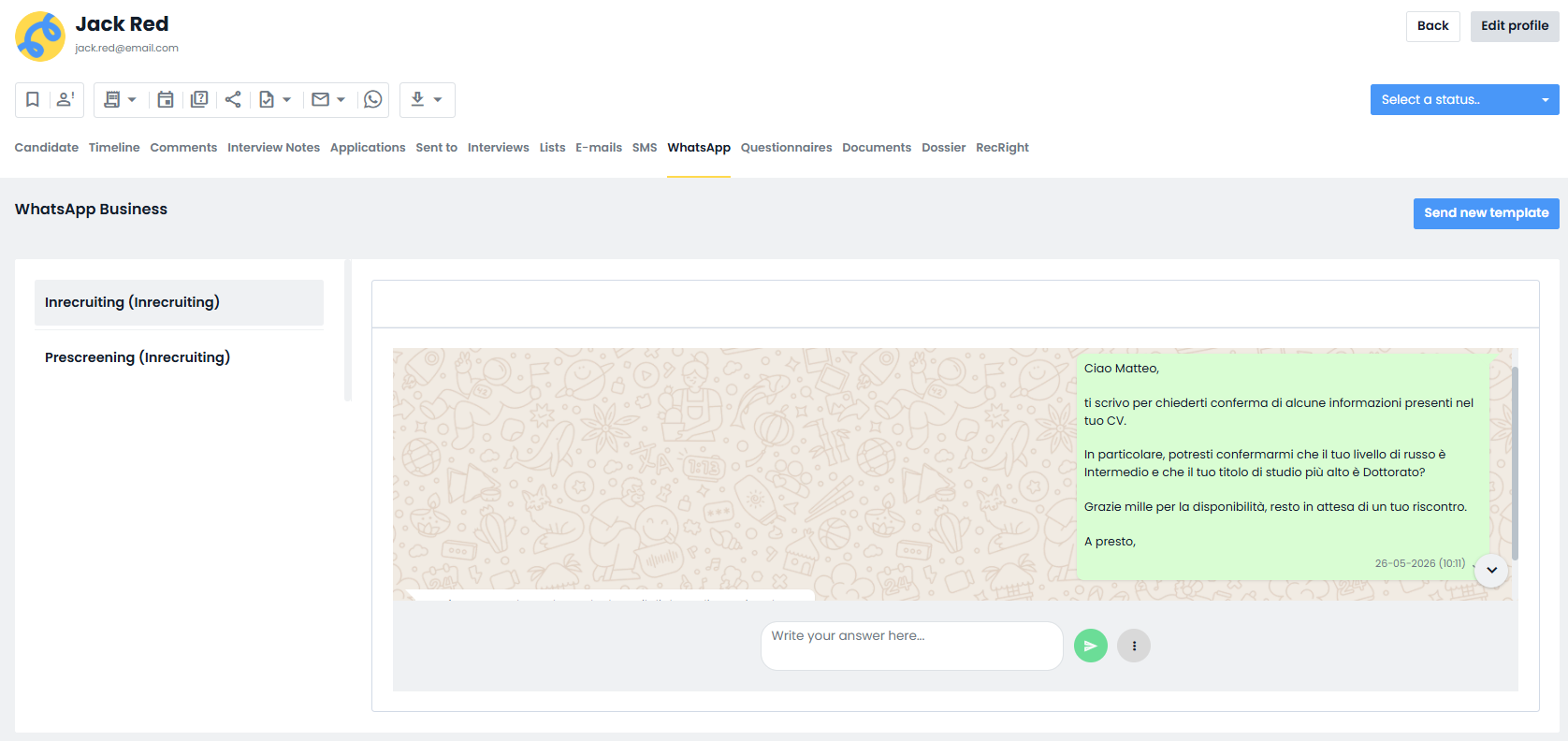
reply directly from the chat in the WhatsApp tab
send free form messages, i.e., written freely and not based on templates
This is the only time when it is possible to communicate spontaneously and conversationally with the candidate.
Every time the candidate sends a new message, the 24-hour countdown resets.
If you no longer receive messages and 24 hours pass, the window closes automatically and you will no longer be able to send free-form messages.
To contact the candidate again, you will need to use an approved template message (predefined) and follow the sending procedure provided on the platform.
NB: The 24 hour window is the only case in which you can write non-template messages.
In all other cases, the use of templates is mandatory.
Was this article helpful?
That’s Great!
Thank you for your feedback
Sorry! We couldn't be helpful
Thank you for your feedback
Feedback sent
We appreciate your effort and will try to fix the article