Through Inrecruiting, it is possible to automatically manage the publication of sponsored job ads on Indeed.
⚠️ To enable this feature, its use must be agreed upon with your Indeed and Inrecruiting representatives.
To mark a job ad as sponsored on Indeed:
- Open the job ad and navigate to the Publishing tab. In the Multiposting on Job Board section, enable publication on Indeed.
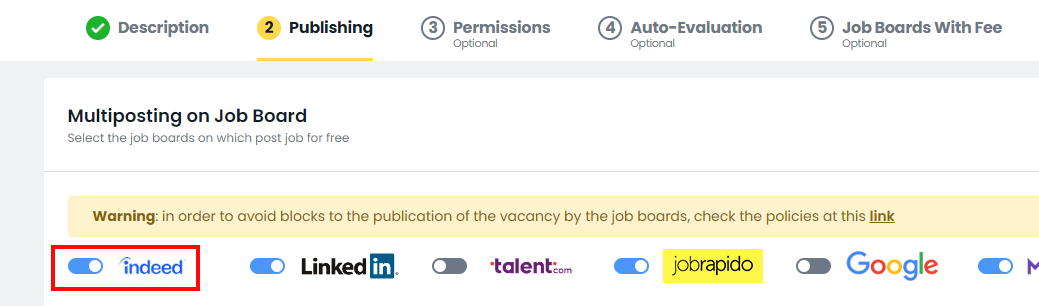
- Open the Job Boards with fee tab and set the Indeed sponsorization option to Yes.

Once the configuration has been completed, the job ad will be identified as sponsored within the XML feed used by Indeed.
Job ads marked with Indeed sponsorization = Yes are included in the XML feed with a specific identification tag (<category>1</category>), which allows Indeed to distinguish them from organic job ads and apply the relevant sponsorship campaigns. Job ads that are not marked will continue to be published as organic postings.
⚠️ It is important to note that the activation of this feature must be agreed upon in advance with the customer's Indeed representatives. Inrecruiting simply adds the <category>1</category> tag to the XML feed sent to Indeed in order to identify the job ads that should be sponsored; the management of campaigns, budget allocation, and job visibility remains entirely under Indeed's responsibility.
Was this article helpful?
That’s Great!
Thank you for your feedback
Sorry! We couldn't be helpful
Thank you for your feedback
Feedback sent
We appreciate your effort and will try to fix the article