The Interview Insights feature enables recruiters to analyze interview transcripts in a structured way, transforming a simple conversation into valuable data for candidate assessment.
After uploading the transcript to the platform, the system automatically processes the interview content, providing a summary of the key discussion points, the skills and competencies identified, and a direct comparison with both the job requirements and the information available in the candidate's CV.
This approach provides a clearer and more objective view of the candidate, helping recruiters make better-informed decisions and ensuring greater alignment between the interview outcomes, the candidate's profile, and the open position.
⚠️ The interview transcript must be generated using external tools (e.g. Microsoft Teams or other video conferencing platforms) and then downloaded.
The downloaded file must subsequently be uploaded manually to Inrecruiting for processing through Interview Insights.
To use Interview Insights, you must:
- Access the candidate's profile;
- Verify that the candidate's CV has been uploaded and is up to date within their profile;
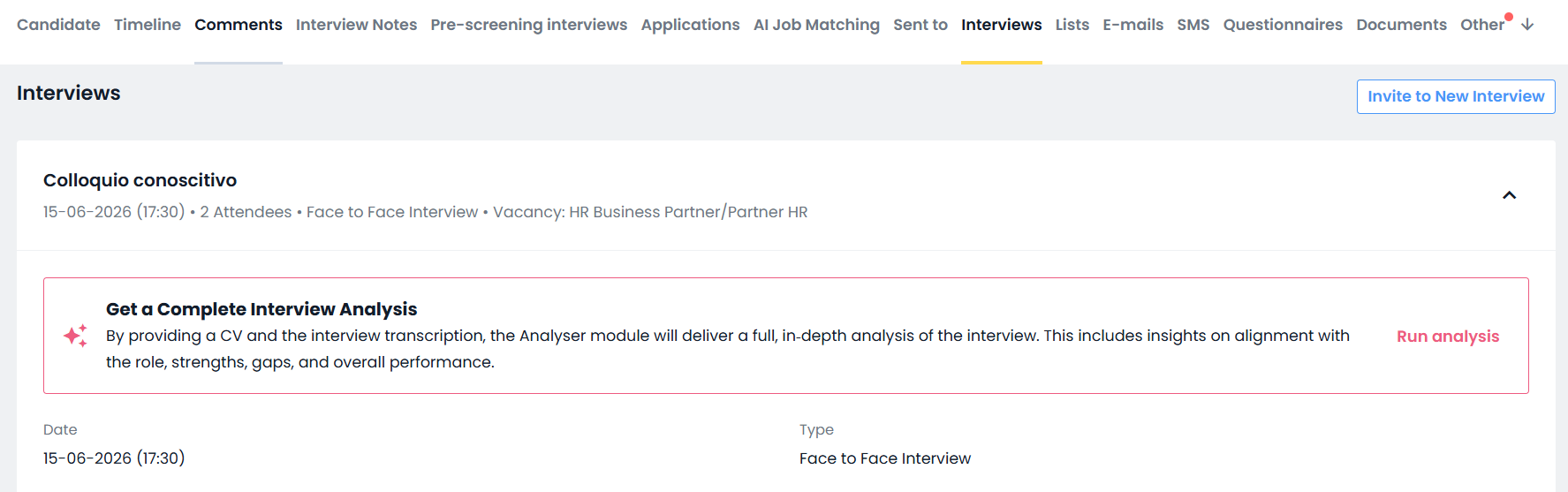
- Open the "Interviews" tab, where you can view the interviews scheduled with candidates through Inrecruiting;
- Open the details of the appointment scheduled with the candidate.
⚠️ The analysis performed by Interview Insights is not based solely on the interview transcript. It also takes into account the candidate's CV and the vacancy associated with the position for which the interview is being conducted.
To achieve the most accurate results, it is therefore recommended to:
- ensure that the candidate's CV is available in their profile and has been properly updated;
- associate the relevant job posting with the appointment when creating it.
At this point, you can click the "Run Analysis" button to upload the transcript and start the analysis immediately.
Alternatively, you can upload the transcript using the "Upload Transcript" button and start the analysis at a later time.
Analysis results
Upon completion of processing, Interview Insights provides results divided into 4 main categories:
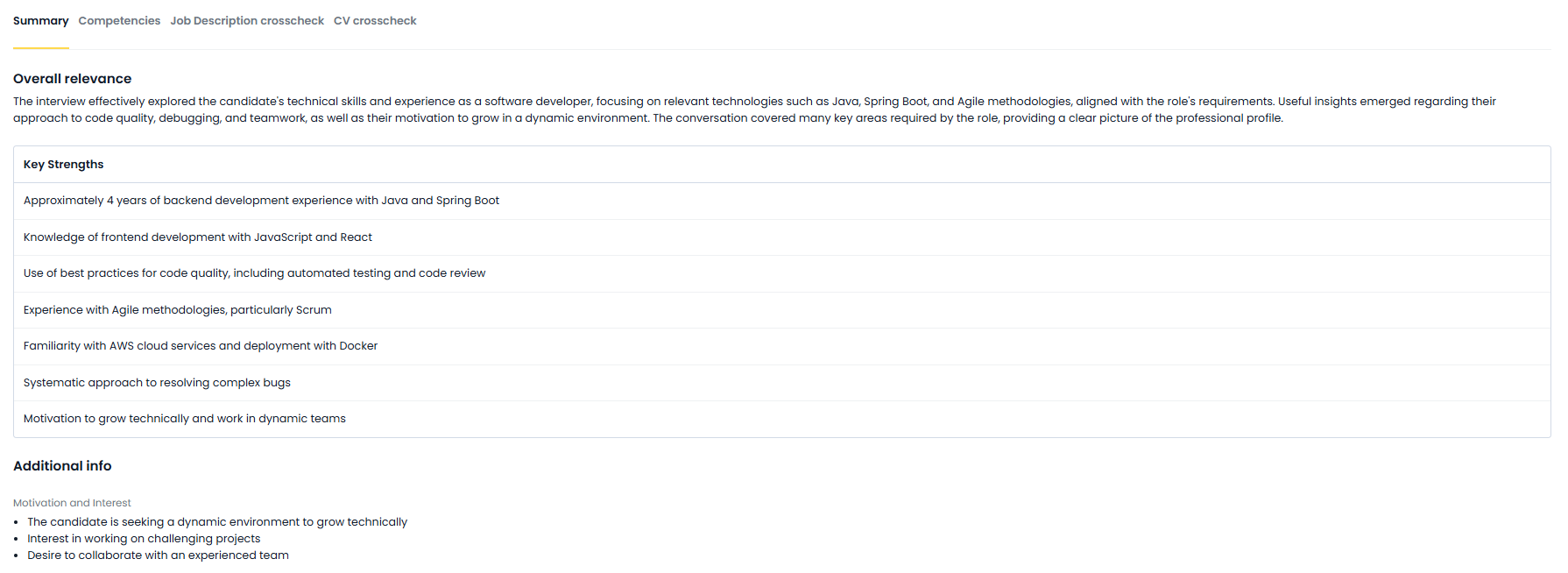
1. Summary: Provides a structured summary of the candidate's evaluation, offering a clear and immediate overview of the main points that emerged during the interview.
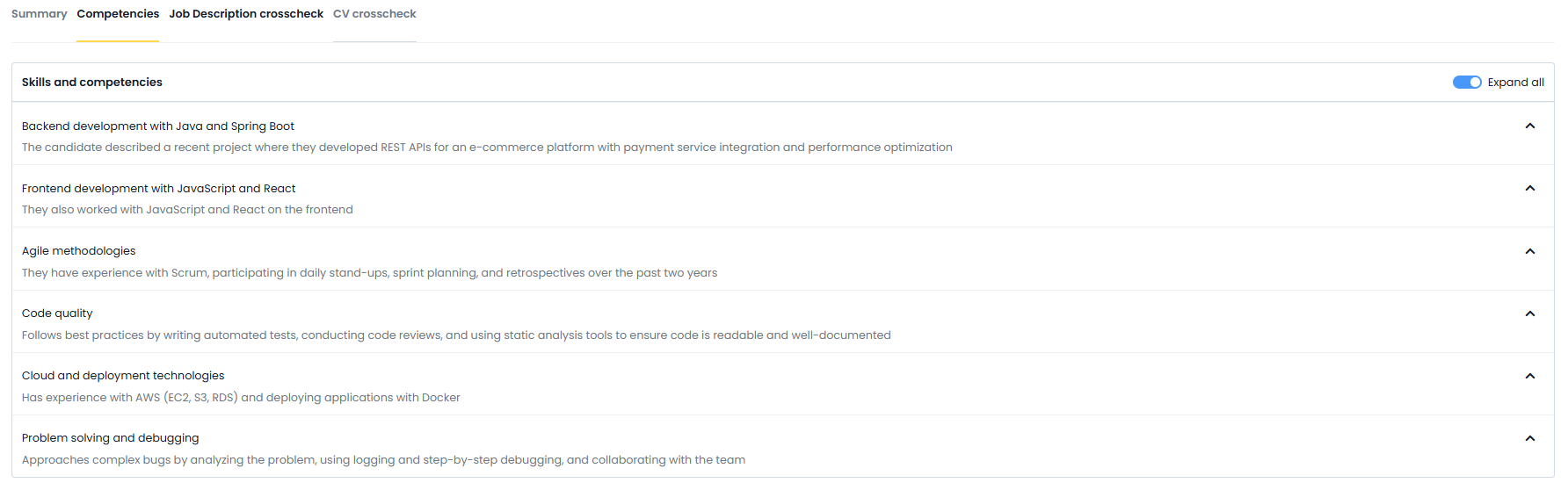
2. Competencies: Provides a detailed and organised overview of the skills that emerged during the interview, categorising them by thematic areas and enriching them with concrete examples.
Within this section, competencies are presented in a structured and navigable way, with a list of expandable categories that allow for in-depth exploration of each specific area.
3. Job Description crosscheck: Provides a comparative analysis between the candidate's profile and the vacancy requirements, clearly highlighting alignment points, any gaps, and areas not explored during the interview.
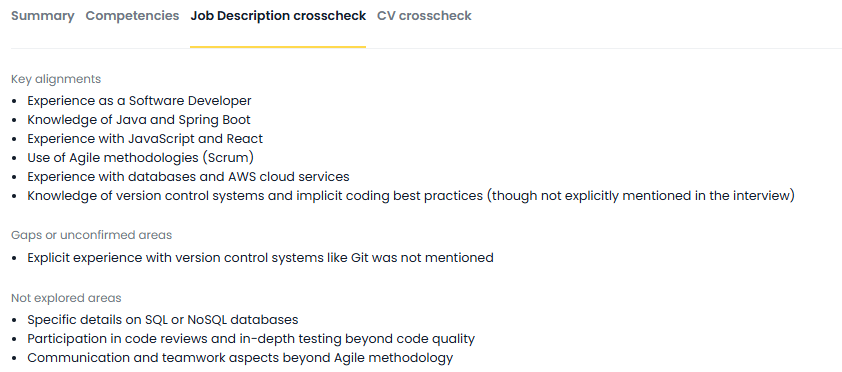
4. Cross-check with CV: Provides a comparison between the information stated in the interview and that present in the CV, identifying consistencies or any discrepancies
Furthermore, the results generated by Interview Insights can be automatically translated into all languages enabled in your environment.
Important notes
The system does not record interviews, but exclusively analyses manually uploaded transcripts
The data provided refers to the information available at the time the analysis is launched
If the candidate subsequently updates their CV, the generated results may not be automatically updated
Was this article helpful?
That’s Great!
Thank you for your feedback
Sorry! We couldn't be helpful
Thank you for your feedback
Feedback sent
We appreciate your effort and will try to fix the article