The Profile Fields section allows you to customize the forms that users will complete during Profile-type form steps within your workflows.
To get started, go to Settings > People > Structure > People Profile Form Field Structure. Here you will find a series of fields already divided into predefined categories, ready to be used when building your forms.
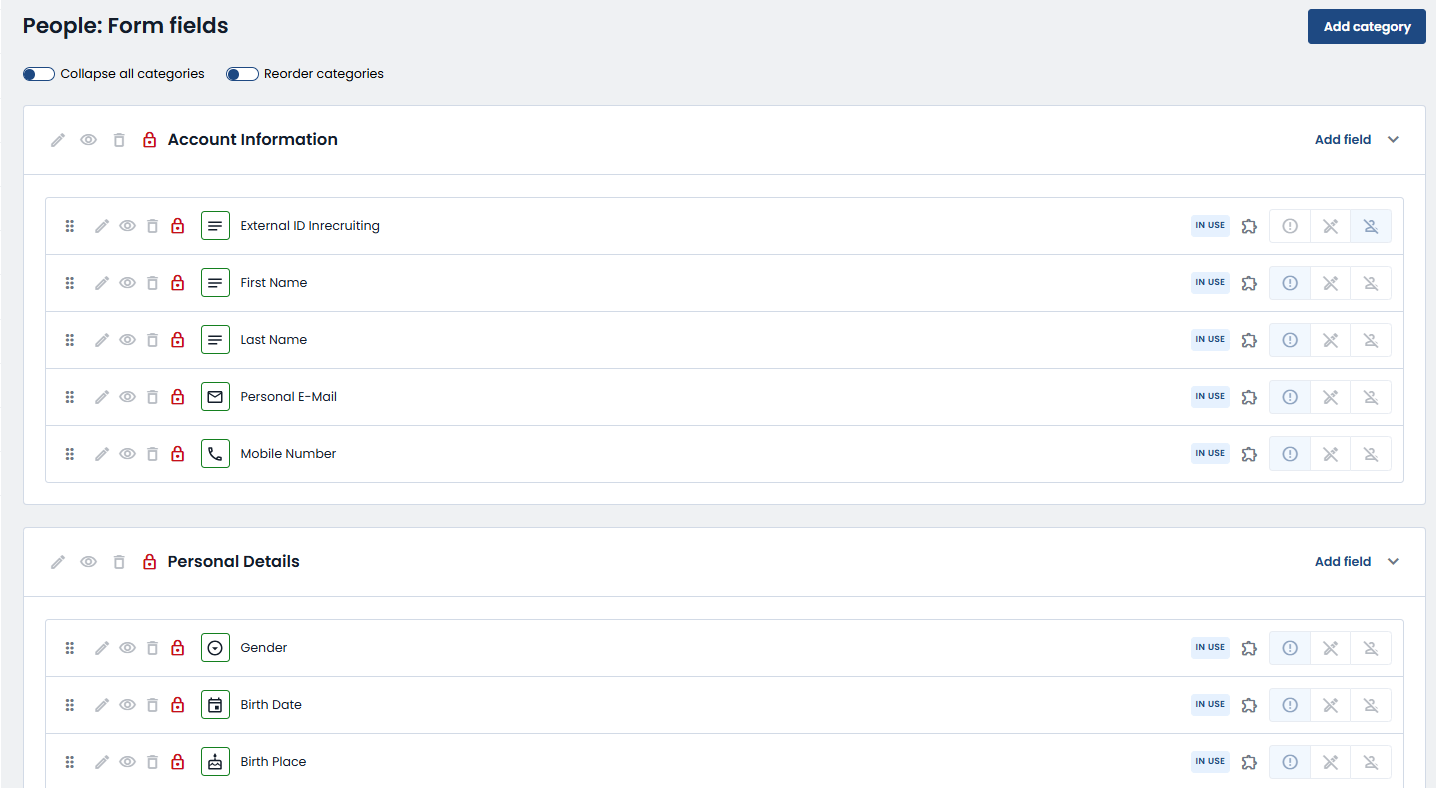
If you want to better organize your fields or create new thematic areas, you can add new categories by clicking the button at the top right.

A screen will open where you can enter the category title and, if necessary, a description in all the active languages in your system.
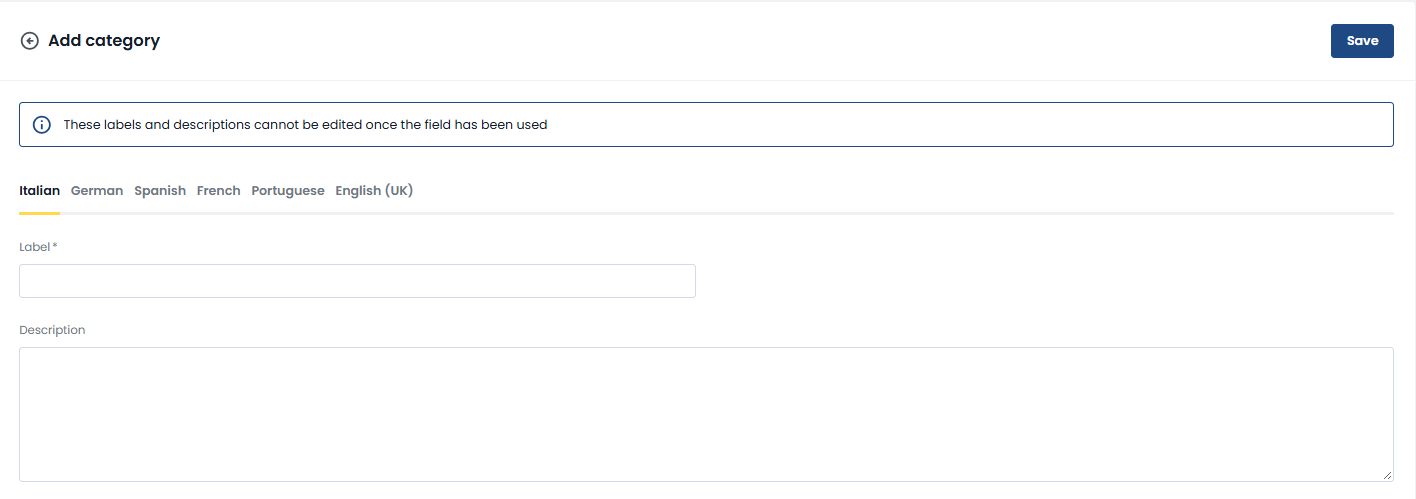
This ensures a clear and organized structure for all users, regardless of the language they use.
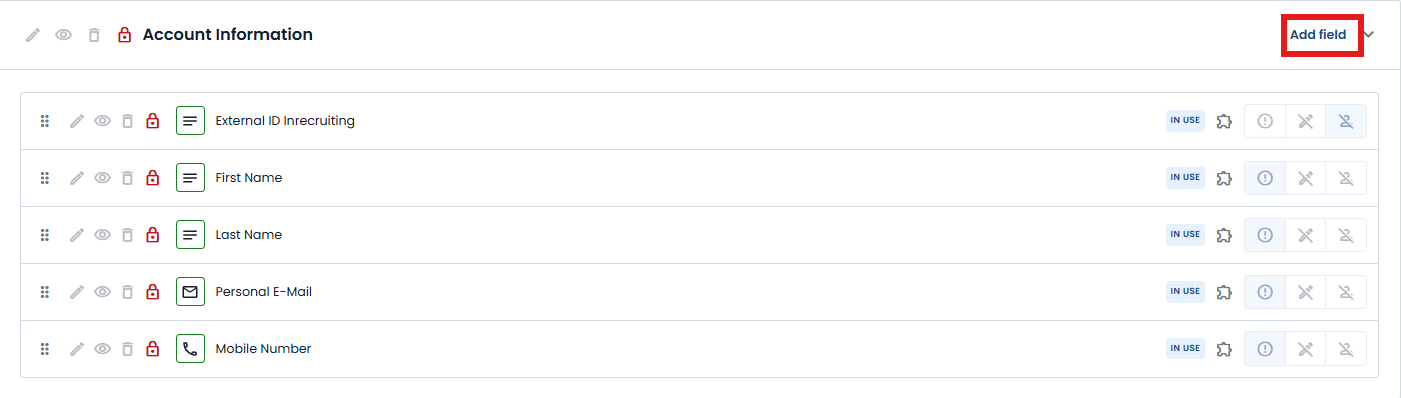
Within each category, you can add new fields by clicking Add Field.
During creation, you can choose the type of field from the available options (free text, single or multiple selection, phone number, email), assign it to a category (even different from the current one) and configure its attributes.
Among them, you can decide whether the field should be mandatory, confidential, or read-only, depending on the needs of your process.
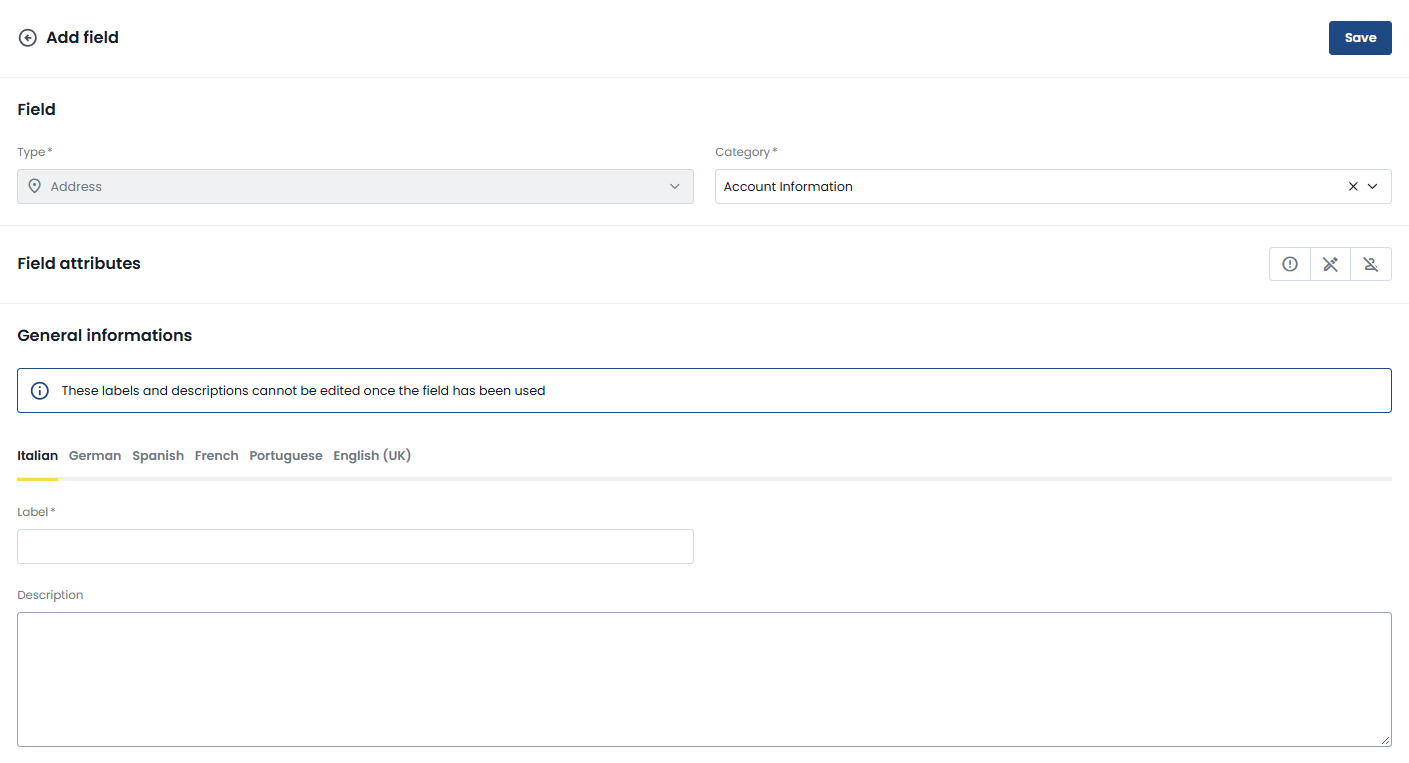
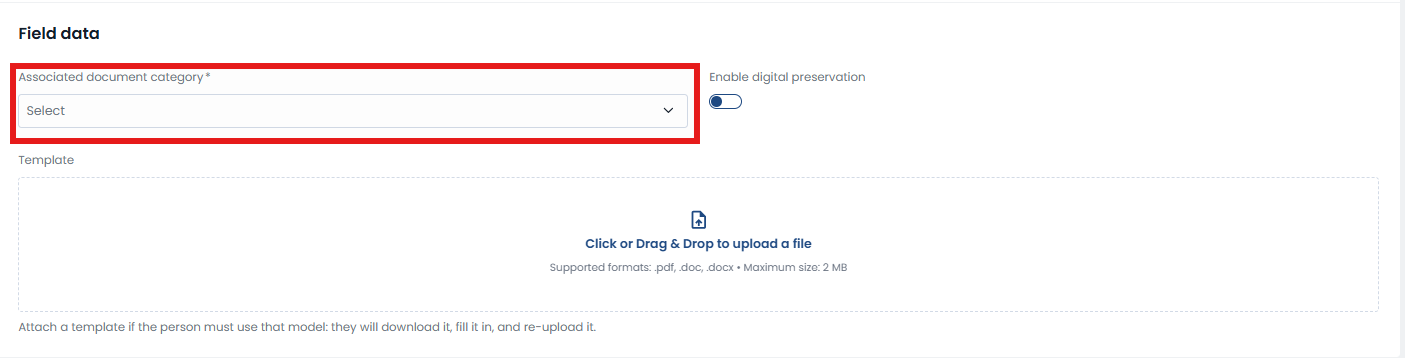
If you need to create a field of type Document, the drop-down menu will also appear to associate the field with the associated category:
Finally, it is important to enter the name of the field and, if necessary, a description, always in all the languages active in your installation.
This will ensure that the field is properly displayed and understood by all users involved in the workflow.
Thanks to this feature, you can build customized forms that are consistent with your operational needs, improving the user experience and the quality of the data collected in your processes.
Was this article helpful?
That’s Great!
Thank you for your feedback
Sorry! We couldn't be helpful
Thank you for your feedback
Feedback sent
We appreciate your effort and will try to fix the article