An effective management of workflows is essential to ensure an orderly and structured work process. In this section, we will explore the different options available for viewing and organizing submitted workflows, both personal and those sent by others.
Viewing and Filtering Workflows
Within this section, you will be able to access a detailed list of submitted workflows. Each column offers customization tools that allow for optimized data management. Specifically, you will be able to:
- Filter workflows using the icon available in each column;
- Sort data according to your preferences using the specific icon;
- Pin columns using the appropriate icon, useful for keeping certain fields visible even while scrolling.
Time Filters
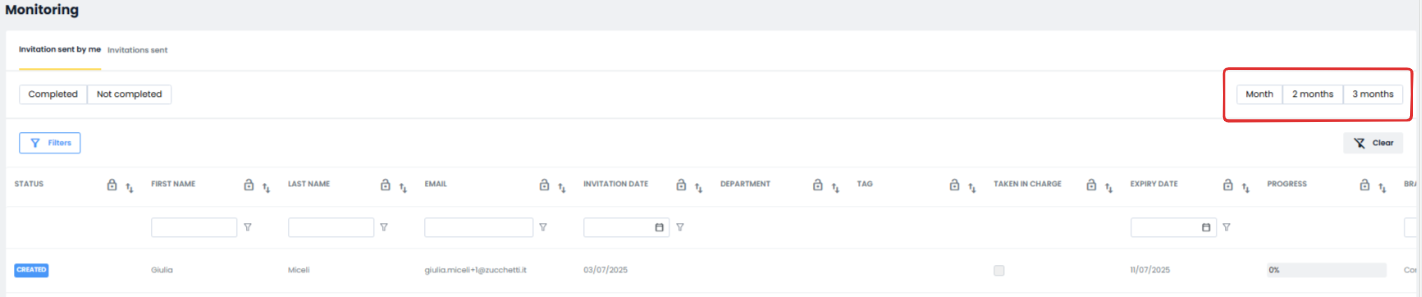
To simplify the search for workflows, you can apply a time filter using the month / 2 months / 3 months buttons located at the top right. This tool allows you to narrow the view to the most recent workflows, enabling quick and effective monitoring of ongoing activities.
Workflow Assignment
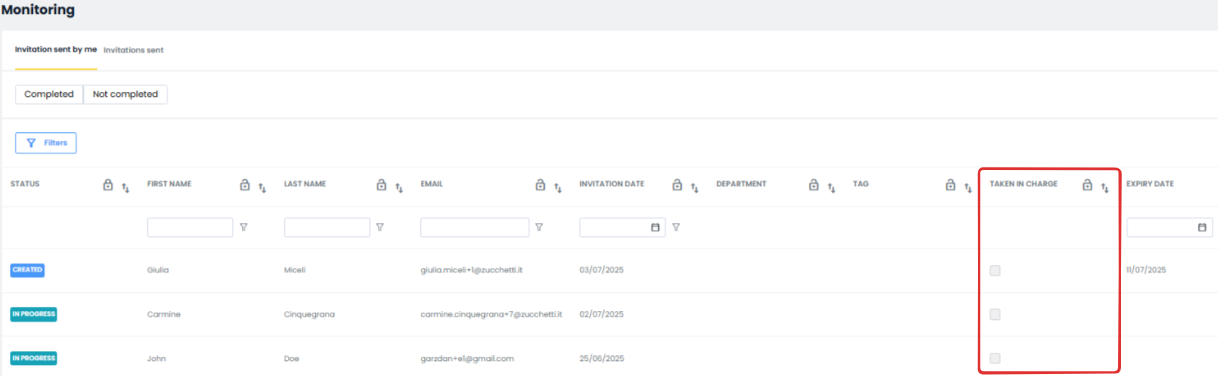
By scrolling the columns to the right, you will find a section dedicated to workflow assignment. The company user will have the option to indicate that they have taken charge of the workflow by checking the appropriate box, thus simplifying responsibility management and facilitating operational coordination.
Managing Expiring Workflows
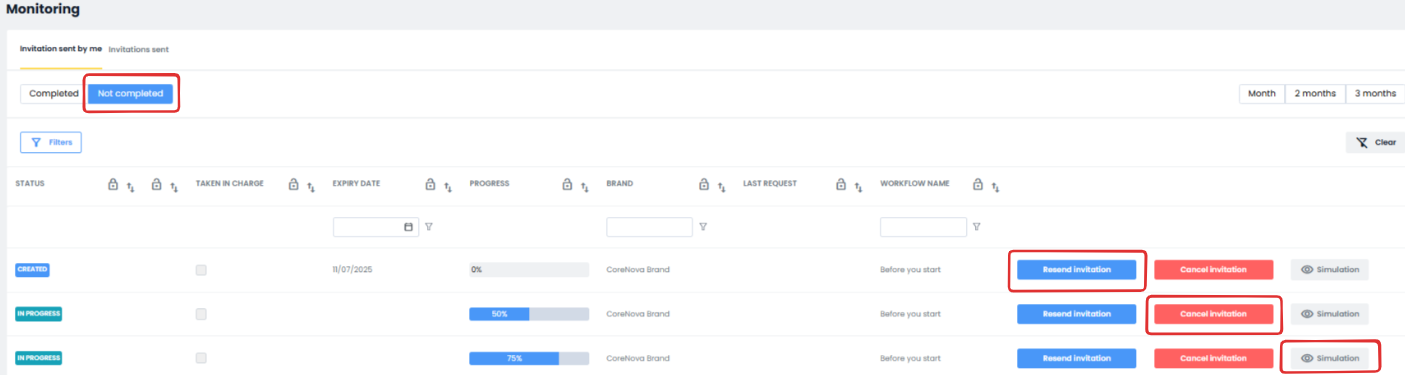
From the Uncompleted – Expiring tab, you will be able to perform several actions to optimize workflow management:
- Resend the invitation to complete the workflow, ensuring the process is completed;
- Delete the invitation, if no longer needed;
- Preview what the person will see, ensuring transparency and clarity in the interaction with the system.
Thanks to these tools, workflow management becomes more intuitive and efficient, promoting a structured organization and precise monitoring of business activities. By following this guide, you will be able to make the most of all available features to optimize your workflow.
Was this article helpful?
That’s Great!
Thank you for your feedback
Sorry! We couldn't be helpful
Thank you for your feedback
Feedback sent
We appreciate your effort and will try to fix the article